
Answer in brief
Automating a business process means that an event starts a chain and rules carry out the steps a person used to do by hand. A small company begins with one frequent, rule-based process, describes it on paper, tries the functions built into its current programs, then connectors, and only then custom code. Every scenario needs a run log, an error alert and one owner.
A rule does by itself what a person used to do by hand
Business process automation sounds like a project for a large corporation. Wikipedia defines it in one line, as the technology-enabled automation of business processes, and the plain version is shorter: a rule does what a person did by hand, the same way every time. A request arrives from the website form. Today someone copies it into a spreadsheet, writes to the manager and confirms it to the customer. After automation the same three things happen by themselves.
The word that matters is process, not automation. Wikipedia describes a business process as a collection of related, structured activities or tasks, performed in a specific sequence, that produces a service or product for a particular customer. So nobody automates a company. One sequence is automated at a time: how a request becomes a deal, a deal an invoice, an unpaid invoice a reminder. A rule only repeats what it was given: a confused process, once automated, simply runs faster.
The process goes on paper first: trigger, steps, decisions, result
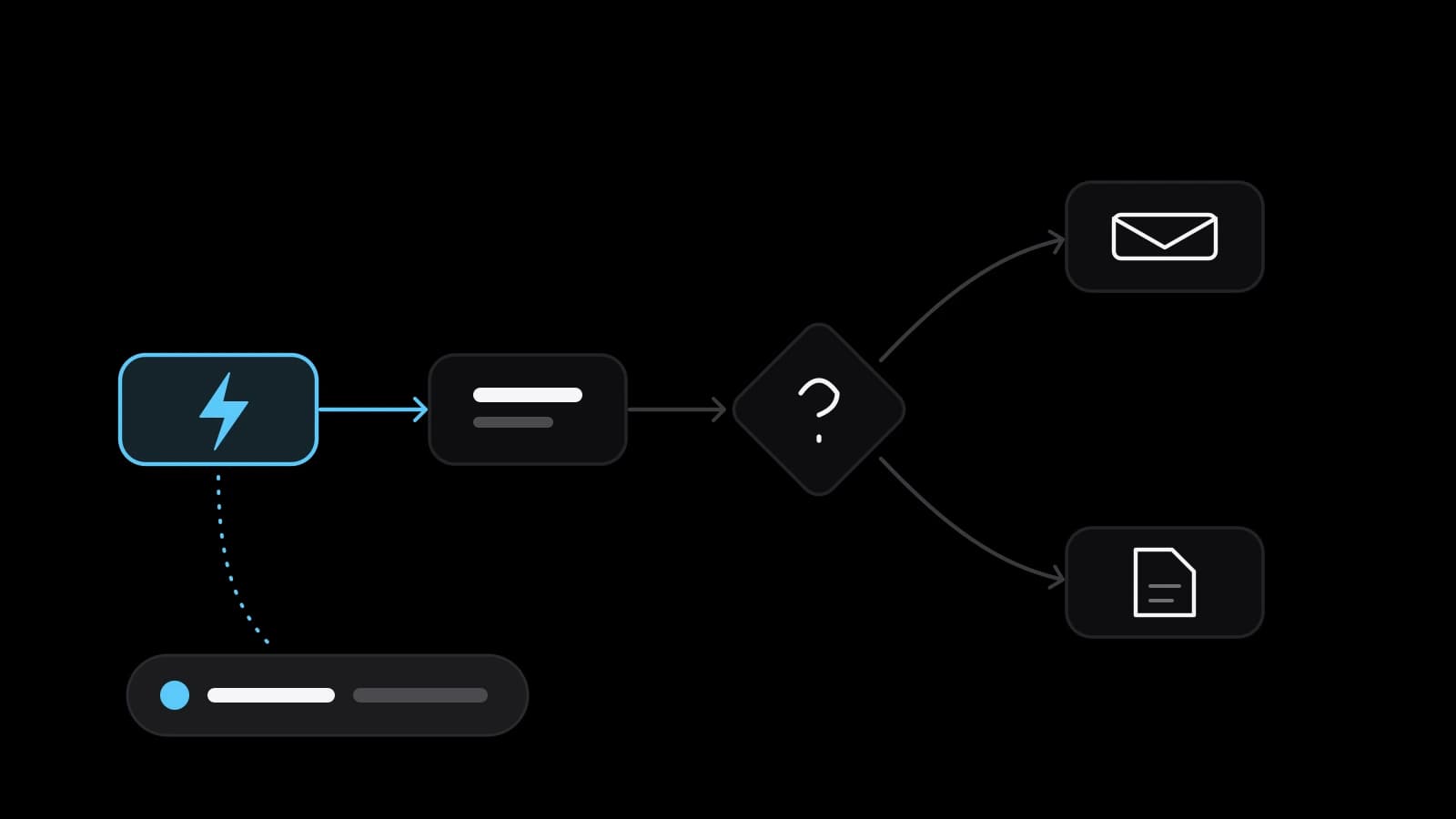
Before any tool is opened, the process is written in four parts. The trigger is the event that starts it: a form is sent, a payment arrives. The steps are what happens next, the decisions are the forks with the name of whoever chooses, and the result is what must exist at the end. Wikipedia’s article on the business process draws the same picture: a sequence that begins with an external event, ends with a result of value to the customer and can be drawn as a flowchart of activities with decision points.
A process that has not been described cannot be automated, because a program does not guess. The manager knows that regular customers are invoiced without a call, and this is written nowhere. Every sentence with ‘usually’ or ‘it depends’ is a rule that still lives in somebody’s head. So follow one real case from the first event to the last, write what actually happens and put one name at the top. Wikipedia calls this person the process owner, responsible for the process running smoothly from start to finish.
Which processes to take first: frequent, rule-based, costly when forgotten
Three signs point to a good first candidate. It happens often, so the saved minutes add up. It follows rules that fit into ‘if’ and ‘then’, with no judgement required. And forgetting it costs money or a customer. Wikipedia’s description of software robots names the same territory: they are programmed for predefined, structured, repetitive tasks. In a small company that usually means website requests, invoices, payment reminders, appointment confirmations and the weekly report somebody assembles by hand.
A process that runs twice a year will not repay the hours spent building it. One that changes every month will have to be rebuilt every month. Negotiations, complaints and anything that depends on reading a person stay with people. A simple test helps: if the task can be explained to a new employee in ten minutes, a rule can probably do it.
Three levels of tools: built-in functions, connectors, custom code
The first level costs nothing new, because it is already inside the programs the company pays for. Mail services sort and answer letters by rule. A CRM creates a task when a deal moves to the next stage, and accounting software issues recurring invoices. These functions are limited to one program, and that is their strength: no extra access, no extra subscription, nothing new to break. Exhaust this level before looking further.
The second level connects programs that do not talk to each other. Zapier’s help centre calls its unit a Zap, an automated workflow that connects apps and services; a trigger is an event that starts it, and an action is an event it performs afterwards. The n8n documentation agrees: a workflow is a collection of nodes that automate a process, and a trigger node starts it in response to certain conditions. The vocabulary differs, the skeleton does not: one event, then a series of steps.
The third level is custom code. Wikipedia describes the traditional approach as software written in a programming language to integrate the applications a process needs. Code is justified when no ready connector exists or the requirements for data are strict. The lowest level that does the job is the cheapest to maintain.
Where a language model fits and where a plain rule is better
A plain rule works with structured data: a field, a number, a date, a status. It gives the same answer every time and can be checked line by line. A language model earns its place where the input has no structure. Wikipedia’s article says artificial intelligence is brought in to handle unstructured data such as images, text and audio, and a customer’s letter in free form is exactly that. The model reads it and labels the request; ordinary rules then route it to the right person.
The n8n documentation draws a useful line. A chain is a predetermined sequence of calls, while an agent uses a language model to interpret the input and decide which tools to use. The more is left to the model, the less predictable the result. So money, deadlines and anything sent to a customer without review are better left to rules with a person confirming. The model prepares a draft; a rule or a person makes the decision.
What goes wrong: silent failures, ownerless scenarios, stray access keys
An employee who forgets a task gets noticed. A scenario that stops does not, because nobody waits for something that used to happen by itself. Zapier’s help says a Zap turns off automatically if 95% of its runs in the last seven days ended in errors, and Make’s help says a scenario that finishes with an error a set number of times in a row is disabled. Such rules change, so check the current help for your tool.
The guard is a log and an alert. Zapier keeps a run history and by default emails error notices to the account address; its help marks the option to never receive them as not recommended. In n8n an error workflow runs if an execution fails and can send an email or a Slack message. Make offers error handlers, which its help describes as tools for dealing with errors or unexpected events in a scenario. The alert has to reach a person who reads it.
That person is the owner of the scenario, and there should be exactly one. Scenarios built by a contractor or an employee who has since left are the usual trouble: they work, and nobody dares to touch them. The OWASP Secrets Management Cheat Sheet counts API keys and credentials as secrets and recommends least privilege, regular rotation so that a stolen key works only for a short time, and immediate revocation of anything exposed. In practice: a separate key for each connection, replaced when a contractor leaves.
How to count whether the automation paid for itself, before and after
The counting starts before the build, not after. For a week or two, note how many times the process runs, how many minutes one run takes and how many cases went wrong: a lost request, a late invoice. Without this baseline every later claim about saved time is a feeling. After the launch the same three numbers are taken again, and a fourth is added: the time spent looking after the automation itself.
Hours returned each month stand on one side; the cost of building, the subscriptions and the upkeep stand on the other. Errors are counted separately, because their price is rarely measured in minutes: one lost request can outweigh a month of saved typing. The honest result is sometimes negative. A rare process, or one rebuilt three times, may never return what it cost, and it is better to learn that on the first small scenario than on the fifth.
A first automation in a week and what to prepare before ordering
A week is enough for a first result if the scope is one process. Choose it by the three signs, describe it on one sheet and write down the baseline. Try a built-in function of a program you already use before any connector. Build the simplest version and run it for several days alongside the manual routine. Then name the owner and send a test error to see that the alert arrives. That is all business process automation requires at the start: one sequence, one rule, one responsible person.
Doing it yourself makes sense when the chain touches one or two programs and someone on the team is ready to own it. Ordering makes sense when the process crosses several systems, involves payments or personal data, needs custom code or a language model, or when nobody inside can maintain it. A studio that does this work, VITON13 Studio among them, will ask for the same things: the process sheet, the list of programs and who holds access, the baseline numbers, real examples of incoming data and the name of the owner. With these in hand the estimate is exact.
Practical checklist
- Pick one process that runs at least weekly and follows clear if-then rules.
- Write its trigger, steps, decision points and result on a single sheet.
- Record for a week how often it runs, how long one run takes and how many cases fail.
- Check the built-in functions of your current programs before adding a connector.
- Name one owner and confirm that a test error produces an alert that person sees.
Questions and answers
Does a small company need special software to automate a process?
Often not at first. Mail services, CRMs, accounting and booking programs already contain rules, templates and schedules that cover simple cases. A connector is needed when two programs must exchange data, and custom code when no ready connector exists or the requirements are strict.
How is automating a process different from adding an AI model to it?
A rule follows fixed conditions and returns an identical result on every run. A language model handles unstructured input such as free-form letters, and its answer can vary. In a well-built chain the model prepares or sorts material, and rules or people make the decisions that involve money and deadlines.
What should be written down before a business process is automated?
Four things: the event that starts the process, the steps in order, the points where someone makes a choice together with who that is, and the result that must exist at the end. Add the exceptions people handle from memory, since each of them has to be turned into a condition the program can follow.
How do I find out that an automated scenario has stopped working?
Through the run log and error notices of the tool. Keep the notices switched on, direct them to a person rather than an unused mailbox, and appoint one owner who checks the log. Platforms can also switch a failing scenario off by themselves, so silence is not proof that everything works.
When does it make sense to order automation instead of building it yourself?
When the chain crosses several systems, touches payments or personal data, requires custom code or a language model, or when nobody on the team can maintain it afterwards. One or two programs joined by a built-in function or a simple connector are usually within reach of the team itself.