
Answer in brief
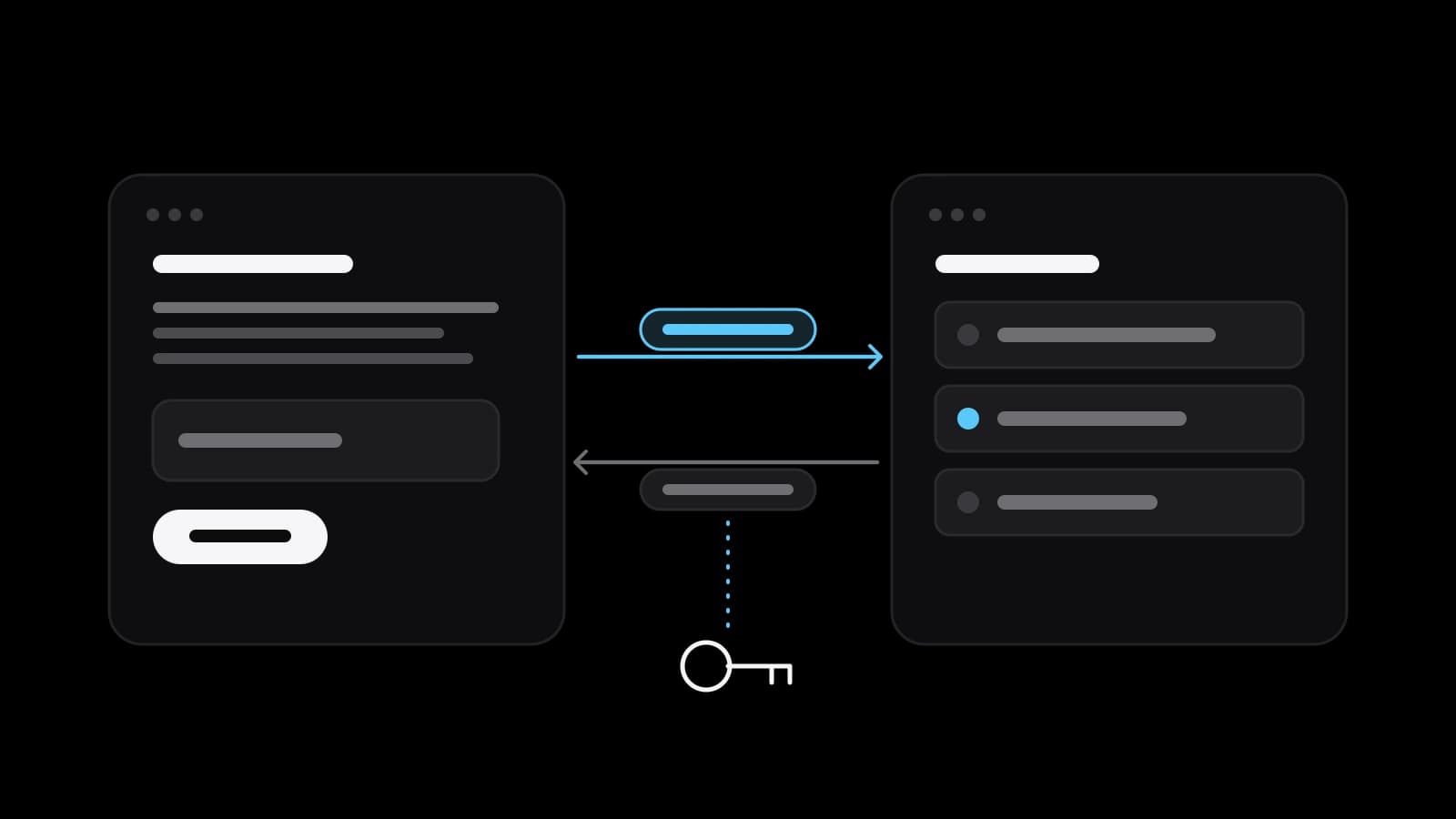
An API is a set of rules that lets one program ask another for data or an action without a person clicking through screens. A request goes to an address with a key, and an answer comes back with a status code. The service that owns the API sets the limits, the price and the versions, so an integration needs an owner for the keys, an error log and someone who follows the changes.
An API is a service counter for programs, not for people
A contractor says the site and the CRM will be connected through the API, and the owner nods without a picture in mind. So what is an API, in words that do not need a programmer? MDN Web Docs defines it as a set of features and rules inside a program that enable interaction with it through software, as opposed to a human user interface. MDN adds that it can be seen as a simple contract between the application and the software that uses it.
Wikipedia puts it from the other side: a user interface connects a computer to a person, an API connects pieces of software to each other. Take a bank: you see screens and buttons in its app, while your accounting program sees a service counter with a fixed list of forms. It hands over an agreed form, gets an agreed answer and never enters the back office. Wikipedia names this as one of the main purposes of an API: to hide the internal details of how a system works.
What a request and a response consist of, without any code
The APIs a small company meets are almost always web APIs; Telegram, for one, describes its Bot API as an HTTP-based interface. MDN’s overview of HTTP describes an exchange of messages: the client sends requests, the server returns responses. A request has a method, a verb such as GET or POST, the path of the resource, optional headers and sometimes a body. In shop terms that is the action, the address of the counter, a note about who is asking and the form itself.
A response carries a status code, which MDN says indicates whether the request succeeded and, if not, why. MDN groups the codes into five classes: 200 to 299 mean success, 400 to 499 a client error, 500 to 599 a server error. The useful point for an owner is that each exchange leaves a trace. The complaint that the integration does not work becomes a precise one: what was sent and which code came back.
What a small business connects through APIs in practice
The typical connections are few. A form on the site passes a new lead to the CRM, so nobody retypes it from an email. The site asks a payment service to create a payment and later learns that it was paid. A shop asks a carrier for the delivery cost and a tracking number. Orders flow into the accounting system, and a messenger bot tells the manager about a new one.
Not every program has such a counter, and not every counter is open to you. Wikipedia lists three release policies: a private API is for internal company use only, a partner API is for specific business partners, a public one is available to everyone. So first find out whether the service you already pay for has an API and whether your plan includes it. An API also offers only what its owner chose to expose: if an action is absent from the documentation, no contractor can call it.
An API key is a password, and a leaked key is an open door
The counter has to know who is asking, and that is the job of a key. YooKassa, a Russian payment service, takes the shop identifier as the user name and a secret key as the password. Stripe’s guide on managing keys states the principle outright: secret API keys are account credentials, like a username and password. Whoever obtains one, the guide says, can make unauthorized charges, access customer data or disrupt the integration. Stripe adds that bad actors continuously scan public code repositories for keys, and it tells teams not to share them over email or chat.
OWASP’s API Security Top 10 puts broken authentication second on its 2023 list and counts tokens and passwords sent in the URL among the signs of a vulnerable API. Stripe’s answer is the restricted key, which carries only the permissions a task needs; its example is a third party that monitors disputes and gets read-only access to that data. An exposed key, the guide says, should be rotated immediately. For an owner this means three habits: keys are created in your own account, each contractor gets the narrowest one, and you know how to revoke it.
Request limits, paid tiers and versions are set by the other side
An API is someone else’s equipment, and its owner protects it. Stripe says it uses rate limiting to maximize stability and prevent abuse; its documentation currently gives a global limit of 100 requests per second in live mode, and a program that goes over receives the status 429 Too Many Requests. Limits are also where free ends and paid begins. Telegram’s Bots FAQ currently says a bot cannot broadcast more than about 30 messages per second in bulk, and describes paid broadcasts that raise the ceiling to 1000 for a charge in Telegram Stars.
Versions are the third rule. Wikipedia notes that changes to an API can break compatibility with the clients that depend on it, and that a public API can declare parts of itself deprecated. Stripe describes its own rhythm: new versions come out monthly with no breaking changes, and twice a year a major release does contain them, so upgrading can require changes to an existing integration. Someone therefore has to read the provider’s change notices, and maintenance belongs in the plan from the first day.
Webhooks: when the other system calls your address first
In the ordinary scheme your program asks and the service answers. Some things happen later and without you: a bank confirms a payment minutes after the customer has left the page. Asking every minute whether it is paid yet wastes requests, so services offer the reverse channel, the webhook. You give the service an address, and it sends a message there when an event occurs. Stripe’s documentation says it pushes real-time data to a registered endpoint when, for example, a customer’s bank confirms a payment.
A webhook has house rules too. Stripe requires a publicly accessible HTTPS address, and delivery does not last forever: Stripe retries for up to three days in live mode, while YooKassa keeps delivering a notification for 24 hours from the event. Stripe also warns that the same event may arrive more than once, and that without verification an attacker could send fake events to trigger actions such as fulfilling orders. If a site is down for a long weekend, some paid orders may stay marked unpaid until a person reconciles them.
What to ask a contractor before the integration work starts
Start with the keys. Ask who creates them and in whose account, because the account should be yours and not the contractor’s. Ask where they will be stored: Stripe’s guide says never to put secret keys in source code. Ask what each key is allowed to do and how it will be replaced when the work ends. Ask about a test environment as well: Stripe, for example, has a sandbox with its own keys in which card networks do not process payments.
Then ask what happens when something fails. YooKassa’s documentation gives a good example: if it cannot give a precise answer within 30 seconds it returns HTTP 500, and that code does not say whether the operation succeeded, so the result must be checked first. It also describes an idempotence key, which makes a repeated request count as the original and helps avoid repeated transactions. So ask whether a customer is protected from a double charge, where the log is and who is told about an error.
Ready connector, no-code tool or custom work, and what to prepare
There are three routes, and the cheapest one that fits is the right one. First check the settings of the services you already use, since many CRMs, site builders and payment services ship ready connectors to each other. If there is none, no-code automation services can link two APIs with a visual chain: a new lead, a card in the CRM, a message to the manager. Custom work is justified when no connector exists, when the logic is your own, when volumes approach the limits, or when money is involved and failures must be handled precisely.
Whichever route you take, prepare one sheet first. Describe each link in one sentence: when this happens here, that must appear there. List the systems and plans you are on, the data fields that travel, the rough number of events per day and the owner of every account. With that sheet a studio such as VITON13 Studio, or your own developer, can say which route fits and estimate it exactly. And the question of what is an API gives way to a more useful one: which two systems in your business should talk to each other first.
Practical checklist
- List the services you already pay for and check in each one’s settings whether an API is included in your plan.
- Write every link as one sentence: when this happens in system A, that must appear in system B.
- Create the API keys in your own accounts and give a contractor the narrowest permissions the task needs.
- Agree where errors are logged, who is notified about a failure and who rereads the provider’s change notices.
- Test the integration in the provider’s sandbox with test keys before any real payment or customer data passes.
Questions and answers
Does a small business need a programmer to use an API?
Not always. Many services ship ready connectors that are switched on in the settings, and no-code automation services link two systems with a visual chain. A developer is needed when no connector exists, when the logic is specific to your business, or when payments are involved and errors and duplicates cannot be left to chance.
Is an API key the same thing as the password to my account?
In effect, yes. Stripe’s guide calls secret keys a form of account credentials, like a username and password: a program that presents the key acts in your account within that key’s permissions. The differences work in your favour, because a key can be limited to a few operations and revoked without changing your own login.
What should I do if an API key ends up in a chat or an email?
Treat it as exposed and replace it. Stripe’s guidance is to rotate an exposed key at once, even when it is not clear that anyone saw it: a new key is issued, the old one stops working and the integration is switched over. Then look through the request log for calls you did not make, and stop sending keys through messengers.
How is a webhook different from an ordinary API request?
The direction is reversed. In an ordinary request your program asks the service and waits for the reply. With a webhook you register an address once, and the service sends a message there when something happens, for example a confirmed payment. It saves constant polling, but your address has to stay reachable and the sender has to be verified.
Can an API integration stop working by itself after launch?
Yes, and usually for one of three reasons: the provider released a version with breaking changes, a key expired or was revoked, or the volume of requests reached a limit. None of this shows on the site until orders stop arriving in the CRM. That is why an integration needs a log, an alert and a person responsible for reading the provider’s notices.