

Answer in brief
Verified facts
- Source review
- Website source, historical capture and documentation reviewed on 9 September 2026.
- Reader need
- Next.js website launch checklist
1. Define the website before choosing the framework
List the page families, languages, content editors and interactions your business actually needs. Separate public pages from signed-in functions and third-party systems. Next.js can support a custom website, but the framework does not supply your editorial process or make every integration ready. If the task is a small, rarely updated brochure, compare the maintenance burden with a simpler managed option before commissioning custom work.
2. INTERNAL example: a historical VITON13 homepage
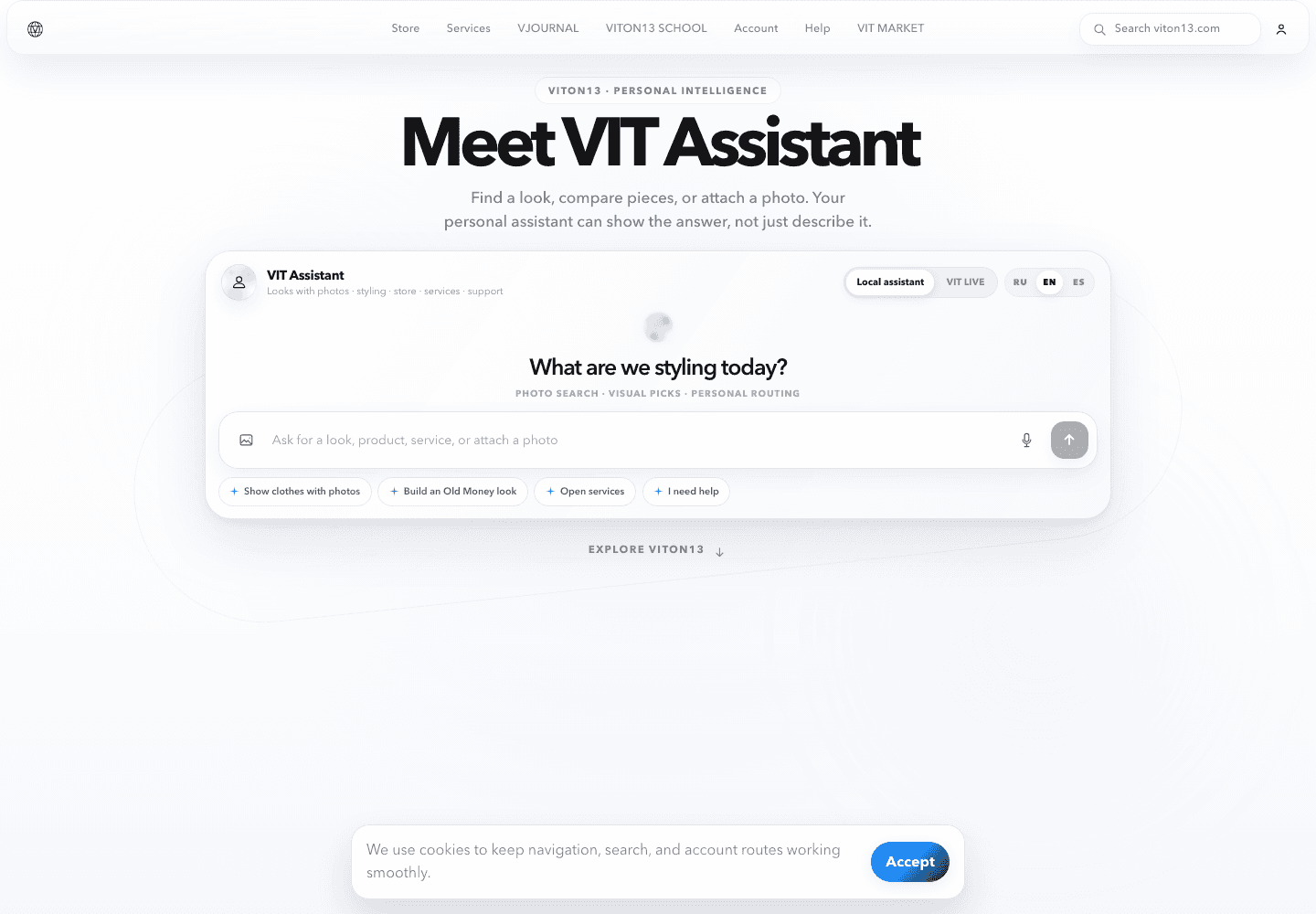
VITON13 is our own website project, not a client commission. This historical portfolio capture shows shared navigation to Store, Services, VJOURNAL, School and other sections, above an earlier assistant-led homepage. It is useful for discussing section boundaries and navigation. It does not show today's homepage design or prove assistant responses, private-account functions, production integrations or commercial results. The dashboard and visual-exploration assets are not used as website-delivery evidence here.
3. Connect the visible interface to real implementation
The reviewed VITON13 website source declares Next.js and React. Its App Router homepage files reuse Header and Footer components, obtain localized content and define page metadata. Interactive homepage components have their own client boundary. These are concrete source-level examples, not evidence that every route has passed production acceptance. Ask your developer to show the equivalent map for your project: route, content source, interactive component and person responsible for changes.
4. Make rendering and content updates observable
Next.js separates server-side composition from components that need browser interaction. Decide which content must be present on entry and which actions depend on JavaScript. For one representative page, change a heading or image in the agreed source, publish through the intended workflow and verify the public result. Record whether a rebuild or cache refresh is required. A successful edit in a local development server is not evidence that the production update path works.
5. Check representative routes in every supported language
Choose a homepage, service page, article and missing-page example from the agreed scope. Open each directly, follow an internal link, reload it and switch language. Check the resulting URL, response, main heading, title and canonical; confirm translations point to their actual counterparts. Test menus with a keyboard and inspect long headings and images on a narrow screen. These are acceptance scenarios to run, not claims that this historical screenshot passed them.
6. Prove the hosting path, not only the preview
Agree who operates the hosting account, domain and release process. Next.js documents Node.js, container and static-export options; static export cannot provide features requiring a server. Match the chosen option to your actual routes and integrations. Ask for a successful production build and a check of that build in a production-like environment. Store the release identifier and recovery instructions with the handoff. Do not confuse a development preview, screenshot or green lint result with a deployment.
7. Rehearse recovery and assign ongoing ownership
Name the maintainer who can apply a routine content change, diagnose a failed update and restore the previous working release. Record required access and configuration names without putting secret values into the public brief or repository. In a separate test environment, rehearse the agreed recovery procedure and check affected pages again. Confirm who handles dependency updates, domain renewal and support requests. A delivery folder without an accountable operator leaves the business dependent on assumptions.
8. Accept evidence against a bounded checklist
Request the source repository, dependency lockfile, setup instructions, content-editing guide and an acceptance log for the agreed routes. Mark each integration as designed, implemented, connected or tested, with unresolved items and owners. Use the VITON13 example to ask better questions about shared navigation and localized page ownership, not as a promise of traffic, revenue, uptime or a universal performance score. Keep a website migration or a specialist SEO audit as separately defined work when needed.
Practical checklist
- Map page families, languages and public/private boundaries.
- Identify the source and editor for each content type.
- Demonstrate one content update through the intended release path.
- Check direct URLs, internal navigation and language counterparts.
- Verify the production build on the intended hosting model.
- Record access ownership and configuration names without secrets.
- Rehearse recovery in a separate test environment.
- Hand over source, instructions, evidence and unresolved items.
Questions and answers
Does Next.js automatically make a website ready to launch?
No. Routes, content workflow, hosting, integrations and ownership still need project-specific checks.
What does the VITON13 example prove?
An internal website and a historical navigation example. Reviewed source confirms Next.js/React usage; the screenshot does not verify assistant behaviour, private functions or business results.
Can a non-developer update the content?
Only if an editing workflow is included and demonstrated. Agree which changes require an editor, developer or new release.
Is a local preview enough for acceptance?
No. Verify the production build and intended update path separately; a preview does not establish deployment readiness.
Which files and records should a Next.js handoff include?
The agreed source, dependency versions, setup and editing instructions, access ownership, acceptance evidence and recovery procedure.