
Answer in brief
Samsung announced the Tab S12 Ultra and Plus on September 30 for selected markets from October 7. Their common processor makes display area, carrying weight and accessories central to the choice.
Two large tablets, one shared processor
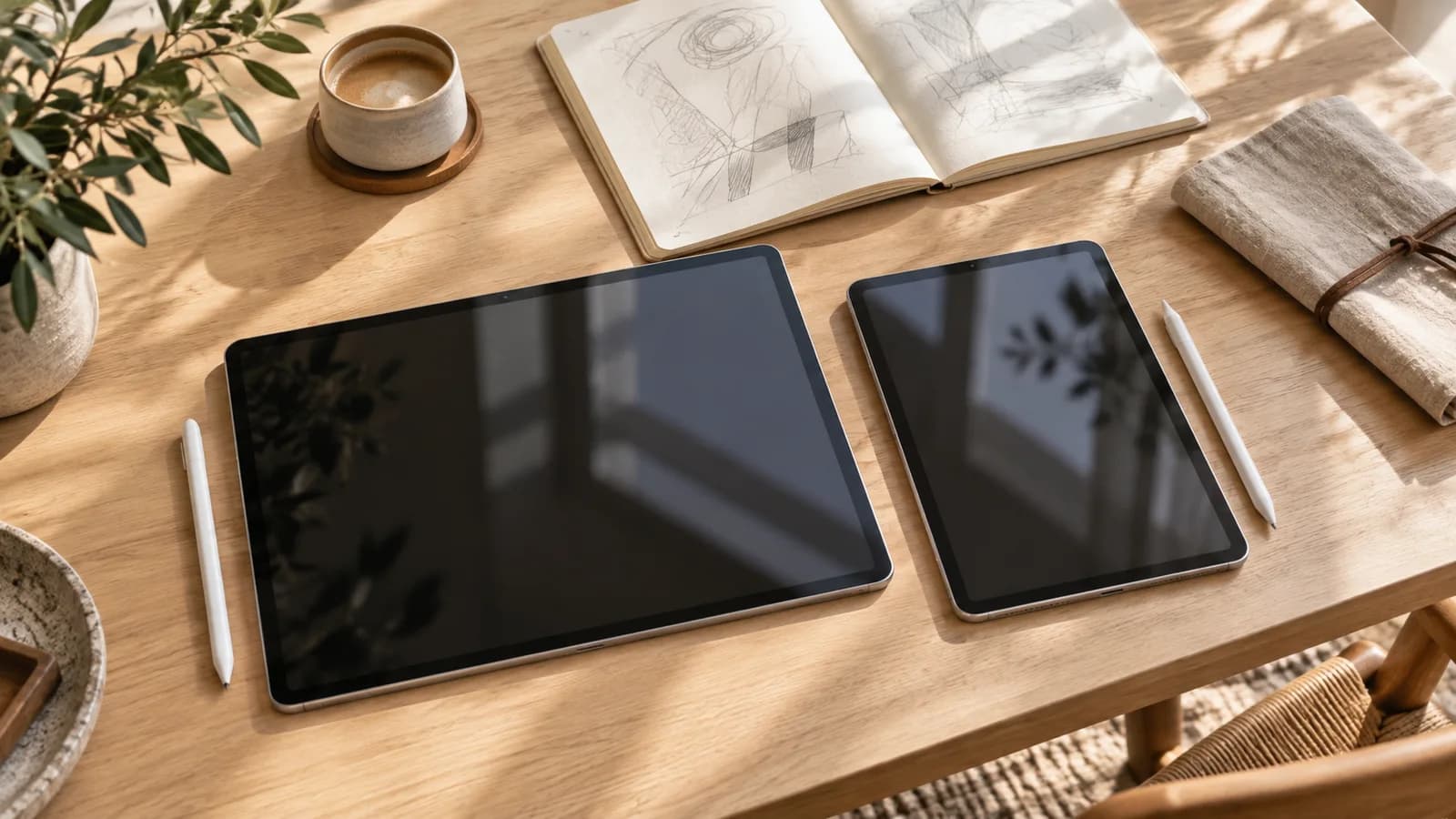
Samsung announced the Galaxy Tab S12 Ultra and Tab S12+ on September 30, with availability scheduled from October 7 in selected markets. The Ultra has a 14.6-inch screen and the Plus a 12.6-inch screen. Both use MediaTek’s Dimensity 9500 according to Samsung’s specification table, so the starting comparison is not a simple choice between two different processor generations.
The company is presenting both as portable workspaces with an included S Pen. Our interpretation is that the more useful first question concerns the work surface a person needs and the complete equipment they will carry. A larger screen can make side-by-side documents easier to arrange, but a tablet’s specification sheet alone cannot establish that it will replace someone’s existing computer workflow.
The weight difference is measurable on paper
Samsung lists the Wi-Fi Ultra at 692 g and the Wi-Fi Plus at 553 g. Subtracting those published figures gives a calculated difference of 139 g before cases, keyboards or chargers. The Ultra is thinner, at 5.1 mm versus 5.3 mm, yet heavier. That combination shows why thinness and portability should not be used as if they describe the same property.
The display specifications are 2,960 × 1,848 pixels for the Ultra and 2,800 × 1,752 for the Plus, both with 120 Hz Dynamic AMOLED 2X panels. The physical screen difference is more meaningful than simply reading the pixel totals. For an annotator, visible document area may matter; for a commuter, the space occupied on a small table and in a bag may matter more.
| Specification | Tab S12 Ultra | Tab S12+ |
|---|---|---|
| Display diagonal | 14.6 inches | 12.6 inches |
| Wi-Fi weight | 692 g | 553 g |
| Thickness | 5.1 mm | 5.3 mm |
| Processor | Dimensity 9500 | Dimensity 9500 |
| Video playback claim | Up to 23 hours | Up to 21 hours |
| Wireless network | Wi-Fi 7 | Wi-Fi 6E |
Shared features and genuine hardware differences
Both panels are listed at 1,600 nits peak brightness and 1,000 nits in High Brightness Mode. Those are separate conditions, so the peak number should not be presented as constant full-screen outdoor brightness. Samsung also lists quad speakers and an included S Pen without Bluetooth Low Energy support. Inclusion of the pen does not imply that every accessory or remote-control function is included.
The Ultra has Wi-Fi 7 and a rear ultrawide camera alongside its 13-megapixel main camera; the Plus lists Wi-Fi 6E and a single 13-megapixel rear camera. The table also reserves the 16 GB memory and 1 TB storage option for the Ultra. These are clearer selection criteria than an assumption that the larger model must be faster in every application because its name sounds more powerful.
Battery claims describe a specific workload
Samsung quotes up to 23 hours of video playback for the Ultra and 21 hours for the Plus. Its notes describe pre-release devices, a stored 720p video file and specified laboratory conditions. The battery capacities are listed as 11,600 mAh and 10,600 mAh. None of those figures is a measurement of continuous drawing, a video call with several windows, or a day of editing at maximum brightness.
Both support charging up to 45 W, with the appropriate power adapter sold separately. That detail belongs in the total equipment calculation. We have not tested battery life or charging speed. A useful independent comparison would match brightness, network use and workload, because dividing capacity by an advertised duration would not reveal the energy use of a different task or establish real working endurance.
A bigger window needs an adaptable application
Samsung describes a Multi Window layout with up to three sections, allowing notes, a lecture and an assistant to share the screen. Android’s existing developer guidance explains the underlying constraint: applications should adapt to the space available in their actual window. A large physical display is helpful, but a window can still be narrow when several applications occupy it at once.
That guidance is background, not a test of every application on these tablets. The practical demonstration would be to open the documents and tools a buyer actually needs, resize them and check whether controls and text remain usable. Preinstalled Photoshop and promotional app access are announced benefits, but trials, subscriptions and mobile features should not be mistaken for perpetual access or full desktop equivalence.
The buying unit is the complete workspace
Samsung’s global release schedules selected markets for October 7, and its Japanese release confirms that date locally. Neither document makes every configuration available in every country. Before a purchase, the relevant comparison should include the selected storage, network version, keyboard or cover and charger. The included S Pen reduces one accessory question; it does not settle the cost or weight of the complete kit.
The useful distinction is therefore between more working area and a more manageable load, with specific connectivity and storage differences alongside it. The published hardware supports that discussion now. Sustained performance, actual endurance and application compatibility need their own evidence. Choosing the screen around the real workflow makes the specification table useful without turning Samsung’s laboratory figures into a promise about an entire working day.
Questions and answers
Do both models have the same processor?
Samsung lists MediaTek Dimensity 9500 for both. Sustained performance still depends on configuration, cooling and the application being used.
Is the keyboard included with the S Pen?
The S Pen is included, while keyboards are listed as accessories. Check the local bundle; the 45 W power adapter is also sold separately.
Does the battery figure describe a working day?
No. Samsung’s figures concern laboratory video playback with a stored 720p file, not continuous multitasking, calls or editing.