
Answer in brief
Schema markup is code that describes a page to search engines with the schema.org vocabulary, usually written as JSON-LD. It can make a page eligible for rich results, but Google does not guarantee them, and Yandex says markup does not directly affect ranking. It must repeat what the page visibly shows and be checked in the Rich Results Test, the Schema Markup Validator and Yandex's validator.
Schema markup in plain words: a label written for machines
A page about a boat trip tells a person everything at once: the name, the length, the price, the operator. A search engine sees text and has to guess which number is which. Schema markup removes the guess: it is code that names the things on a page and their properties in a shared vocabulary, schema.org. Google Search Central calls structured data “a standardized format for providing information about a page and classifying the page content”. Schema.org itself was founded by Google, Microsoft, Yahoo and Yandex.
What the markup changes is eligibility, not position. Google's general structured data guidelines say: “Using structured data enables a feature to be present, it does not guarantee that it will be present.” The help on semantic markup in Yandex Webmaster says that markup does not directly affect ranking, although it can make a result more noticeable, and that pages without any markup are indexed too. The work pays for clarity and search features, not for a climb up the results.
JSON-LD, Microdata and RDFa: three ways to write the same facts
Schema.org lists RDFa, Microdata and JSON-LD among the encodings it can be written in. Microdata and RDFa are attributes on the HTML tags that already display the text, so the label sits on the price itself. JSON-LD is a separate block inside a script tag that repeats the facts without touching the layout. Google's introduction to structured data says all three are equally fine for Google if the markup is valid, and recommends JSON-LD where the site's setup allows it, as the easiest to implement and maintain at scale.
The reason is practical: a redesign that rewrites every tag leaves a JSON-LD block alone, while microdata woven into a template has to be rebuilt with it. The Schema.org help in Yandex Webmaster explains markup through the microdata attributes itemscope, itemtype and itemprop, and its validator page lists microformats, Schema.org, Open Graph, HTML microdata and RDFa among what it checks. A site that relies on JSON-LD alone should run a page through that validator and see what Yandex recognises.
Which schema.org types fit a shop, a service or a tour operator
Most small businesses start with the company. Google's local business documentation asks for the most specific LocalBusiness subtype possible and lists name and address as required properties. BreadcrumbList is the next easy step, since Google describes a breadcrumb trail as something that indicates the page's position in the site hierarchy. Articles take Article or its narrower type, BlogPosting.
Anything sold at a price takes Product with an Offer, which schema.org defines as an offer to transfer some rights to an item or to provide a service. Google calls the result a product snippet where people cannot buy on the page and a merchant listing where they can. For travel, TravelAgency is a kind of LocalBusiness, and TouristTrip, a created itinerary of visits to one or more places of interest, still sits in the “new” area of schema.org.
Some types age fast. Google's changelog records that from September 2023 FAQ rich results were shown only for well-known, authoritative government and health websites, and that the feature no longer appears in Google Search starting 7 May 2026. FAQPage remains a schema.org type, but on Google it now describes a page without changing how its result looks. Speakable is a beta that Google limits to English-language news read aloud on smart speakers in the US.
How to check schema markup: three validators and Search Console
Google's Rich Results Test is the first stop. It takes a URL or pasted code, tests as a smartphone by default and shows which rich result types it found, covering only the types Google lists as supported. After release, the rich result reports in Search Console separate valid items, with no critical issues, from invalid ones, where at least one critical issue keeps the item from appearing as a rich result. The URL Inspection tool confirms that Google found the markup on the live page.
The Schema Markup Validator at validator.schema.org checks the vocabulary itself. The schema.org blog announced it in May 2021 as the new home of the former Structured Data Testing Tool, built for JSON-LD, RDFa and Microdata rather than for the needs of any one service. The validator in Yandex Webmaster takes a URL or HTML, compares the markup with the requirements of Yandex services and separates errors, such as an empty required field, from warnings, such as a date not written in ISO 8601. No tool judges honesty: Google says its quality guidelines are not easily testable with an automated tool.
The SB Excursions case: schema markup on a five-language tours site
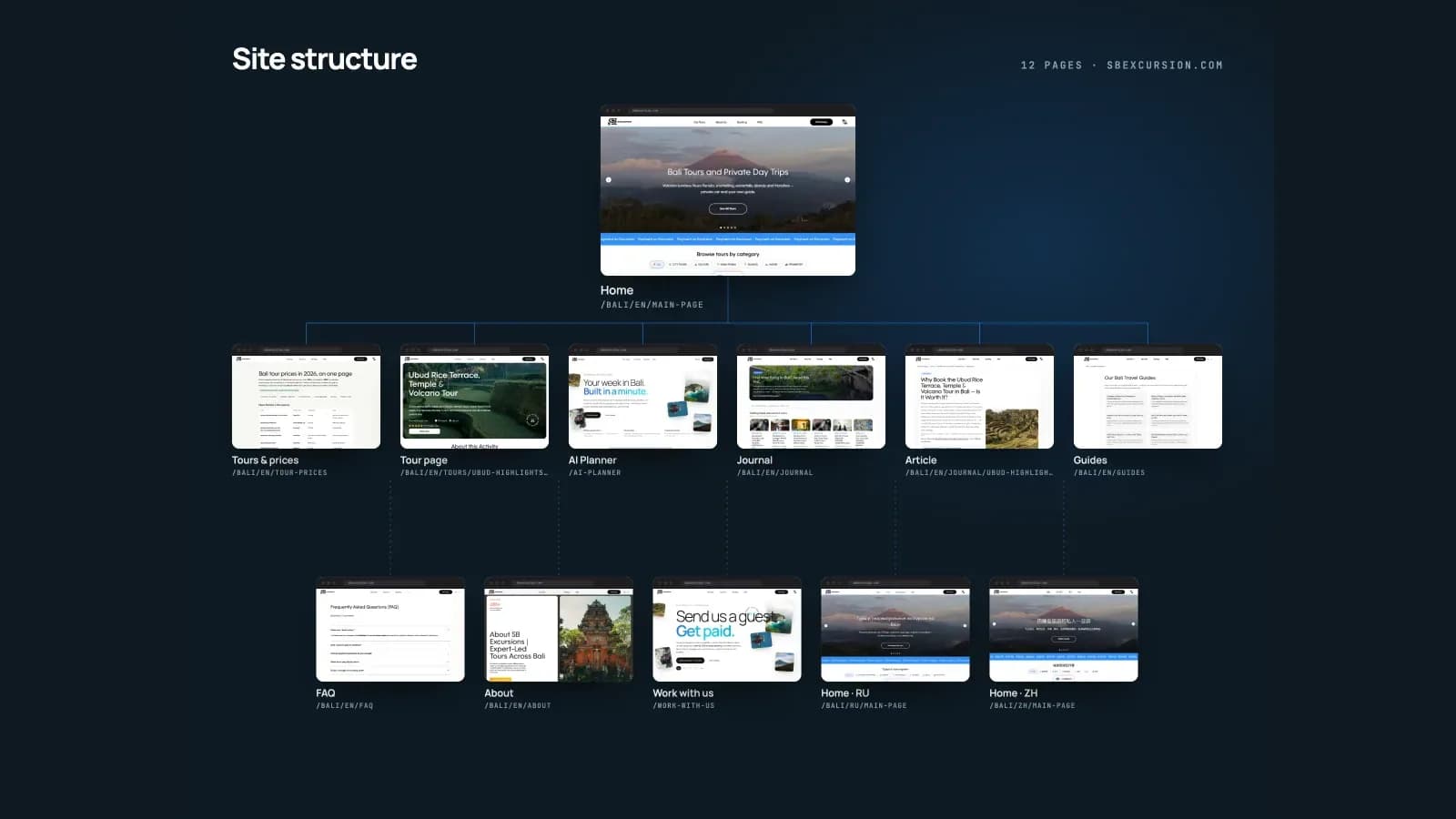
SB Excursions is a real client project: a 2026 website that VITON13 Studio designed and built for a company running private tours in Bali. Every page exists in English, Chinese, Russian, Spanish and French, and part of the site also in German. Bookings stay a conversation with the organiser in WhatsApp, so the tour pages lead to a message, not to a checkout. By Google's definitions, that puts them on the product snippet side rather than among merchant listings.
Each page describes itself in JSON-LD with six kinds of description: TravelAgency, TouristTrip, Product with Offer, FAQPage, BreadcrumbList and BlogPosting with Speakable. Each also declares a canonical URL and links to its language editions with hreflang and an x-default. Google's page on localized versions explains the pair: hreflang tells Google about variations of the content, and x-default serves visitors whose browser language matches none of them.
The catalogue keeps the markup honest. Every tour card repeats the same facts: duration, pickup, route points and price. Google requires structured data to be a true representation of the page content, and the schema.org getting-started guide says that, in general, only what visitors can see should be marked up. With four fixed, visible facts per card, a TouristTrip or Offer block has one source to repeat, and a new price on the card must reach the markup too.
What the September check of fifteen tour pages found
On 22 September 2026, fifteen pages of the site in five languages were rendered in Chrome and run through twelve checks. JSON-LD, a canonical URL and exactly one H1 were present on 15 of 15 pages, and the pages passed 9 of the 12 checks in full. Lighthouse gave the home page 92 for SEO on both phone and desktop. On 25 September the sitemap held 2,061 URLs, and a separate image sitemap lists 6,738 photos.
The same review listed what to fix next, and none of it concerns the JSON-LD: Open Graph images on only 12 of 15 pages, titles outside 30 to 65 characters on 5 of 15, and a repeated “Details” link text, the reason Lighthouse SEO stops at 92. Read against Google's changelog, FAQPage no longer brings an FAQ rich result and Speakable serves a beta for English-language news. Both still describe the pages, but neither promises a special display.
What the tours case does not prove about schema markup
The owner's Search Console report for the three months to 17 September 2026 shows 1.08K clicks and 92.2K impressions from Google web search. Until early August the site had about 2.7 clicks a day; from 7 August clicks and impressions rose within a week, and from 14 August to 17 September the average was about 26 clicks a day. It is tempting to credit the markup. The case refuses to: it cannot prove which change caused the rise, and the indexing of new language editions and the travel season may both play a part.
Search Console also counts visits from Google, not bookings or revenue. Enquiries continue in WhatsApp, and conversion figures and the project budget are not published, so the case makes no claim about sales. An average position of 10.8 means many queries still show the site on the second page, and Lighthouse gives the home page 65 for mobile performance with a largest contentful paint of 7.8 seconds. Markup is one layer among content, speed and links, and it repairs neither a slow page nor a thin answer.
Preparing a site for schema markup: plugin, template work or an order
Start with an inventory, not code. List the page types, such as the home page, service and product pages, articles and contacts, and next to each write the facts it visibly shows: prices, addresses, hours, duration, author, date. Those facts are the whole content of the markup. Then find out who has access to the templates or the CMS, because markup lives in templates, not on single pages. A site with a few standard templates often gets enough from a CMS plugin or a built-in field for Organization, Article and BreadcrumbList.
Ordering the work makes sense when the inventory is long: many templates, several languages, changing prices, or types a plugin lacks, such as TouristTrip. The job is then to write markup into every template, check each one in the Rich Results Test, the Schema Markup Validator and the Yandex validator, and settle canonical and hreflang alongside it; this is the technical SEO implementation VITON13 Studio offers, the layer it built for SB Excursions. Either way, re-run every check after a redesign, and read the date on the documentation before trusting an old tutorial.
Practical checklist
- List every page template and write next to it the facts that the page visibly shows.
- Choose JSON-LD, unless the CMS already writes valid Microdata or RDFa worth keeping.
- Run one page of each template through the Rich Results Test and the Schema Markup Validator.
- Check the same pages in the Yandex Webmaster validator and clear errors before warnings.
- Remove markup for anything the page does not show, and re-run every check after a redesign.
Questions and answers
Does schema markup improve rankings in Google or Yandex?
Not directly. Yandex's help on semantic markup says it does not directly affect ranking, and Google describes structured data as something that makes search features possible without guaranteeing them. The gain is a clearer description of the page and eligibility for richer results where a search engine supports them.
Is JSON-LD better than Microdata for schema markup?
Google accepts JSON-LD, Microdata and RDFa when they are valid and recommends JSON-LD where the site setup allows, as the easiest to implement and maintain at scale. Working Microdata in an existing template can stay; run the page through Yandex's validator to see what it recognises.
Should a site keep FAQPage markup now that Google has dropped FAQ rich results?
Google's changelog says the FAQ rich result no longer appears in Google Search starting 7 May 2026. FAQPage is still a type in the schema.org vocabulary, and the changelog does not tell site owners to delete it, so valid markup that matches a visible FAQ can stay without being expected to change the look of a result.
How do errors differ from warnings when a markup validator checks a page?
In Search Console, an invalid item has at least one critical issue that keeps it from appearing as a rich result, while non-critical issues only affect how it looks. Yandex's validator follows a similar split: an error means markup was not recognised or a required field is empty, a warning means a value breaks the standard.
How long do search engines take to pick up new schema markup?
Yandex's help says that correctly marked-up data used by its services usually appears after about two weeks, once the pages are indexed and the data has passed moderation where needed. For Google, the URL Inspection tool in Search Console confirms whether the markup has been found on the live page.