
Answer in brief
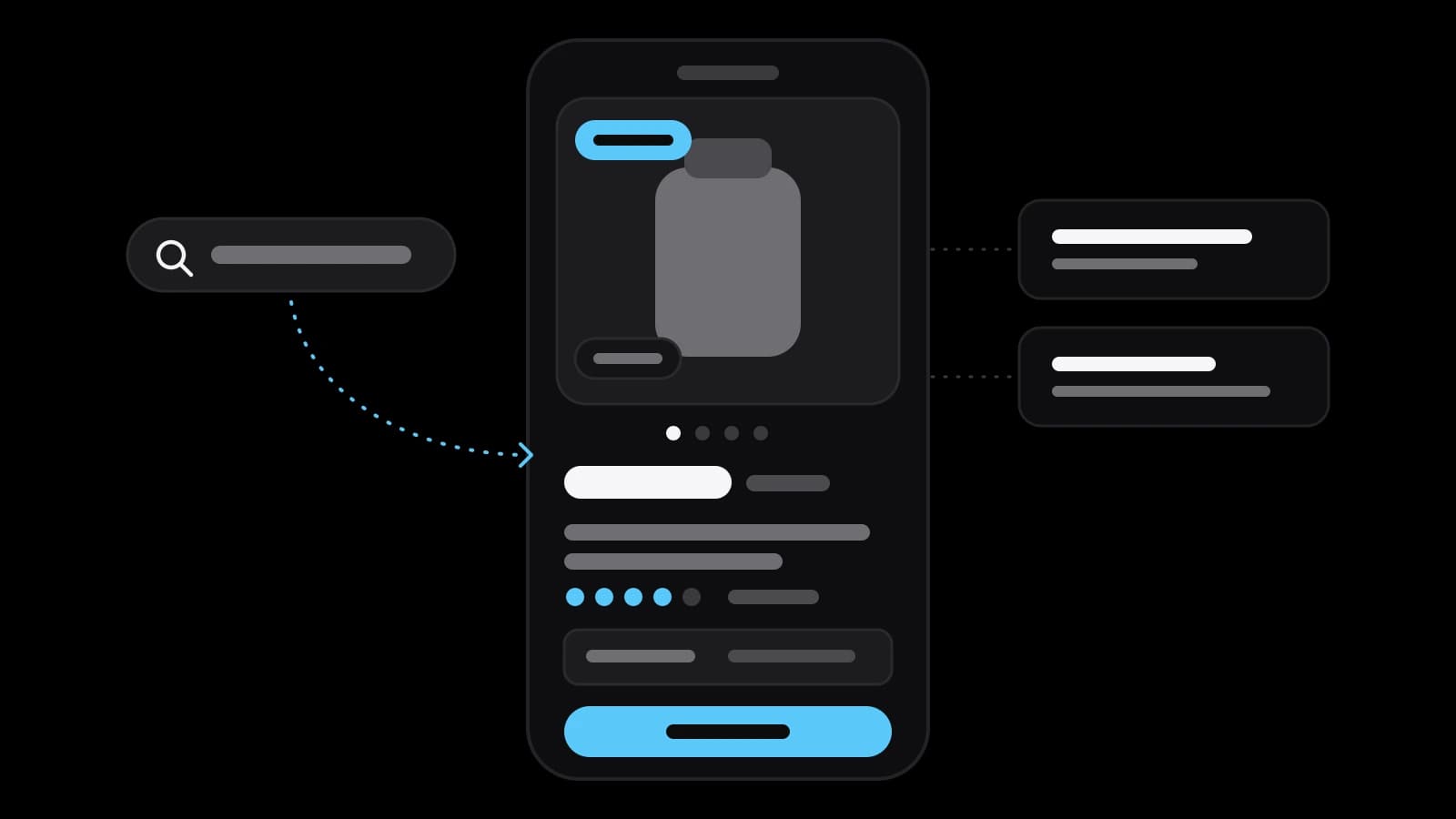
A product listing, or product card, is the marketplace page for one item: title, photos, description, specifications and price, plus a rating and reviews that buyers create. The seller fills in the facts; the platform adds the reviews, checks the content against its rules and decides where the card appears in search.
A product card is the page where the buyer decides
Ask a new seller what is a product listing and the usual answer is the page with a photo and a price. Amazon's own guide for sellers says a listing is made up of two basic parts: a product detail page and the offers paired with it. The detail page holds the product name, images, description and more, while the offer carries the price, shipping information and any promotion. Russian sellers call the same page a product card, on Wildberries, Ozon and Yandex Market alike.
On Amazon each seller's offer for a product is viewable on or from the same detail page, so several sellers can compete for one card. The card describes the thing itself. The offer describes the deal. Mixing the two, for example by squeezing a discount into the title, is one of the first habits that platform rules try to stop.
The parts of a product card and who fills in each one
Yandex Market's help for sellers says a name and a stock code are enough to save an item in the catalogue. The other required data can be added later. At least one image that meets the requirements must be uploaded. Market may suggest the category automatically from the name. Then come the brand, a description of up to 6,000 characters, weight and dimensions with packaging, and the price of one unit including all taxes.
According to the same help page, pharmacy, veterinary and jewellery goods, as well as goods under mandatory marking, need a valid GTIN barcode. Without it the item will not appear in the shop window. Specifications are the structured part of the card: size, material, volume, power and other fields that buyers use in filters. Empty fields here cost more than a weak sentence.
Two parts of the card are not written by the seller at all. Yandex Market's help for buyers says the rating is formed from customers' scores, with or without a written review, and is updated every day in search, in categories and on the card. A review can come from someone who picked up the order, received and returned it, or declined it at the pickup point. Amazon's seller guide notes that more reviews and a higher rating improve the chance that customers will buy from you.
How marketplaces want the product title and description written
Yandex Market's help calls 60–120 characters the optimal length for a title. It gives a formula: product type, manufacturer, model and important characteristics. The same page asks sellers not to advertise in the title and not to put in the price, terms of sale, delivery or guarantee, country of production, shop name or contact details. Amazon Ads, for products that are being advertised, recommends titles of approximately 60 characters. Both platforms can change these numbers.
The description has its own rules. Yandex Market recommends at least 500 characters for the card to earn quality points, with 6,000 as the maximum. Its help says not to advertise in the description, not to repeat the specifications there, not to add links and not to stuff the text with keywords for search. Amazon gives sellers up to five bullet points for the most important details and attributes.
Product photos and video: what the main image must show
Yandex Market accepts .jpg, .jpeg, .png, .heic and .webp files of no more than 10 MB and no smaller than 200 × 200 pixels. Buyers see adapted images in a 3 × 4 format. Wildberries and Ozon publish their own figures in their seller instructions. A card has one main image and may have several additional ones.
Yandex Market asks for the whole product on a neutral background, white or transparent, clearly visible and not blending into it. The product should take up at least two thirds of the image, with margins left at the edges. Amazon Ads recommends four or more images from different angles, at least 1,000 pixels in height or width, with the product filling at least 80% of the frame. Amazon's seller guide allows up to nine photos and asks for sharp, well-lit shots against a simple backdrop.
In Yandex Market's quality table one video adds 2 points, while the first photo of good quality is worth up to 24. That is the largest single item in the table. The reason is visible in any search result: the first photo is what a buyer sees in the grid before opening anything. A cropped product loses that click first.
Infographics on product photos and the limits set by the rules
Infographics are text, icons and numbers drawn over or next to the photo: dimensions, materials, what is in the box. Yandex Market allows them when they are clear and help the buyer understand quickly what is being offered, and also for digital goods that cannot be photographed. For medicines the information must match the instructions for use. Such images must not promise safety or effectiveness.
Yandex Market's image rules forbid words that have nothing to do with the product itself, such as discount, price or with delivery, and emotional labels such as hit, best or ideal. Comparisons with other goods, claims of authenticity such as original, and calls to leave a review for points or another reward are not allowed either. Watermarks, price tags, contact details, delivery information, links and the logo of a shop or marketplace count as extraneous content, while a brand logo is permitted. Wildberries and Ozon keep their own lists, so check them before an infographic series is designed.
How a product card is found in marketplace search
Yandex Market's help for sellers lists relevance to the query at 23.5% and the user's personal preferences at 19.5%. Then come price at 18%, popularity at 15.5%, card quality at 14.5%, and delivery time with the shop rating at 9%. The platform can revise these figures. They still show that a well-filled card is one factor among several, not a guarantee of the top line.
Yandex Market's help says its search algorithms rely on product titles. Its search tutorial gives a plain example: a suitable television will not reach the buyer if the card does not state the screen diagonal. The same tutorial adds that reviews also affect a card's position in search results. Amazon's seller guide points the same way, saying that search terms in titles, descriptions and bullet points help customers find a listing.
Card quality is the part the seller controls completely. Yandex Market scores it on a 100-point scale, says the content is managed entirely by the seller and advises keeping the score at 80 or above. In its table the title is worth up to 10 points, the description 20, the first good photo 24, key specifications 12, the brand 2 and a video 2. The score is shown in the seller's account on the summary page, in the catalogue and on each card, which makes it a convenient checklist for anyone filling cards by hand.
What a selling product card looks like and where cards fail
A card that sells answers the buyer's questions in the order they come. What is it: a title built from type, maker, model and key features. What does it look like: a clean main photo with the whole product in frame. Will it fit: complete specifications with the numbers people filter by. Can it be trusted: reviews and a rating. Amazon Ads recommends advertising products with five or more reviews and a rating of 3.5 stars or higher, so the platform itself counts reviews as part of readiness.
Weak cards usually fail in the same places. A title written as an advertisement, with a promotion and a shop name in it. A main photo where the product is small and the background is busy. Infographics with a price, a discount or the word hit, which the rules forbid. A description that retells the specifications or is stuffed with keywords, and empty specification fields that hide the product from filters.
Preparing a product card: doing it yourself or ordering it
The short answer to "what is a product listing" ends where the work begins: whoever fills the card, the facts come from the seller. Before starting, collect the stock code, an exact name built on the platform's formula, the category, the brand, the weight and dimensions with packaging, and a barcode where the category needs one. Note the real value of every specification. Keep samples for shooting.
Doing it yourself works when there are a few items, the product is simple and you can photograph it whole on a neutral background. The platforms' help pages are free and detailed, and a quality score shows what is missing. Ordering makes sense when there are dozens of items, several marketplaces with different rules, or a need for a consistent photo series and infographics. Either way, check the card against current rules.
If you order, a studio such as VITON13 Studio can design the cards and infographics and work on marketplace search, but it cannot invent the product facts. Bring the list above, the photos you already have and the questions buyers ask most often. Ask for the result to be checked against each marketplace's current help before upload. Prices and terms are on the guide and service pages linked below.
Practical checklist
- Collect the stock code, category, brand, weight and dimensions with packaging, and a barcode if the category needs one.
- Write the title as product type, maker, model and key features, with no promotion, price or shop name.
- Shoot the main photo with the whole product on a white or neutral background, filling most of the frame.
- Fill every specification with real values, including size and material, before writing the description.
- Check each infographic for prices, discounts and words such as best or hit, and remove them.
Questions and answers
Is a product listing the same as a product card?
In practice, yes. English-speaking sellers say listing or product detail page, Russian sellers say product card. On Amazon a listing has two layers: the detail page about the item and the offers from sellers, which carry price and delivery terms.
Can I put a discount or a price on a product card photo?
On Yandex Market, no: its image rules treat price tags, discounts and delivery information as extraneous content. Wildberries and Ozon have their own image rules in their seller instructions, so check the platform you upload to before printing numbers on a picture.
How long should a marketplace product title be?
It depends on the platform. Yandex Market's help calls 60–120 characters optimal, and Amazon Ads suggests about 60 characters for advertised products. Whatever the limit, the order matters most: type of product, maker, model, then the features buyers search for.
Does the rating on a product card depend on the seller?
Only indirectly. On Yandex Market the rating is built from buyers' scores and refreshed daily, and only people who received, returned or declined the order can leave a review. A seller influences it through the product, the packaging and the service, not through the text.
Why does a filled-in product card still rank low in search?
Card quality is only one factor. Yandex Market's published weights also include relevance to the query, personal preferences, price, popularity and delivery time. A complete card removes one obstacle, but price and demand still move the position.