
Answer in brief
A semantic core, the Russian-language name for the result of keyword research, is a table of the phrases customers type into search, each assigned to the one page that should answer it. The phrases come from Yandex Wordstat, Google Keyword Planner, your own search reports and search suggestions. A small site needs a few dozen well-chosen phrases grouped by intent, not thousands.
A semantic core is a list of phrases sorted by page
Keyword research sounds like a specialist's ritual, but the idea fits in one line: find out which words people type when they look for what you sell, and decide which page answers each of them. Wikipedia describes it as a practice of finding and analysing the search terms that users enter into search engines. Russian-language SEO calls the result a semantic core. The Russian Wikipedia defines it as an ordered set of words, their forms and phrases that describe what a site does or sells.
In practice it is a table. Each row is a phrase; the columns say how often it is searched, what the person wants and which page should meet them. Take a small workshop that repairs coffee machines. Its owner thinks in services and models, while customers type symptoms, brands and the name of their city. Google's SEO Starter Guide puts the task in one sentence: think about the words that a user might search for to find a piece of your content.
Where the phrases come from: Wordstat, Keyword Planner and your own reports
Two tools show what people search for in general. Yandex describes Wordstat as a tool that shows the statistics of search queries to Yandex: how the popularity of a query changed, how it differs by region and what else people looked for on the same topic. It is open only to logged-in users. Google's counterpart, Keyword Planner, lives inside Google Ads, and its help says the account setup, billing information included, must be completed before keyword ideas open. It is an advertiser's tool that site owners borrow.
The second source is what your site already receives. In Google Search Console the Performance report has a Queries tab; the help defines queries as the search terms that led to your site and warns that some are omitted to protect user privacy. Yandex Webmaster monitors search queries too, and its help says up to 150,000 of them are available for one site. These lists deserve the first look: they come from people who have already seen your pages in the results.
The third source is the search box itself. Google's help on autocomplete says its predictions reflect real searches that have been done on Google, but that the feature does not simply display the most common queries on a topic, so read them as ideas, not as a ranking. Competitors are the fourth source: Keyword Planner can start from any website and look for keywords related to its content. The fifth is the plainest: the words from your customers' calls, emails and chats.
How to read Wordstat's figure, its operators and Keyword Planner's estimates
A number in Wordstat is easy to misread. According to Yandex's interface guide, the service counts queries with your word or phrase in all word forms, and the figure is the total number of queries that contain the phrase. So the figure next to "coffee machine repair" also holds every longer query built around those words: with a brand, a city or the word price. At the time of writing, the Top queries tab covers the last month, Regions the last 30 days, and Dynamics by default draws two years month by month.
Operators narrow that total, and Yandex's operators page lists what each one does. Quotation marks fix the number of words: only queries containing the phrase without additional words are counted, though the order may differ. An exclamation mark before a word fixes its form: number, case or tense. Square brackets fix the word order, and a minus excludes a word. Operators can be combined, so one phrase yields three figures: broad, in quotes, and in quotes with exclamation marks.
Keyword Planner speaks a different language. Google's help calls its figures estimates and defines average monthly searches as the average number of times people have searched for a keyword and its close variants, for the location and months selected. The same help says these statistics are rounded and shown only for exact matches. The Competition column counts the advertisers on a keyword, not how hard a place in the ordinary results will be. Compare phrases inside one tool, never across two.
Four intents behind a query: to learn, to compare, to buy, to find a site
A phrase is not only words; it is a wish. Wikipedia's article on keyword research, citing Jansen, Booth and Spink and Andrei Broder, lists four needs behind a query: informational, to learn; navigational, to find a particular site; commercial, to compare options; transactional, to purchase. For the workshop these are four different people. One asks why a coffee machine leaks, one types the name of a brand's service centre, one weighs a repair against a new machine, and one wants the repair done today.
One page cannot serve two of them well. The person with the leak needs an explanation; the person who wants a repair today needs the address, the price and a phone number on the first screen. A practical test takes a minute: type the phrase into the search engine and look at the first page. If it is all articles, the phrase wants an article; if it is all price lists, an article will not fit there.
Grouping phrases into pages: how the page map is drawn
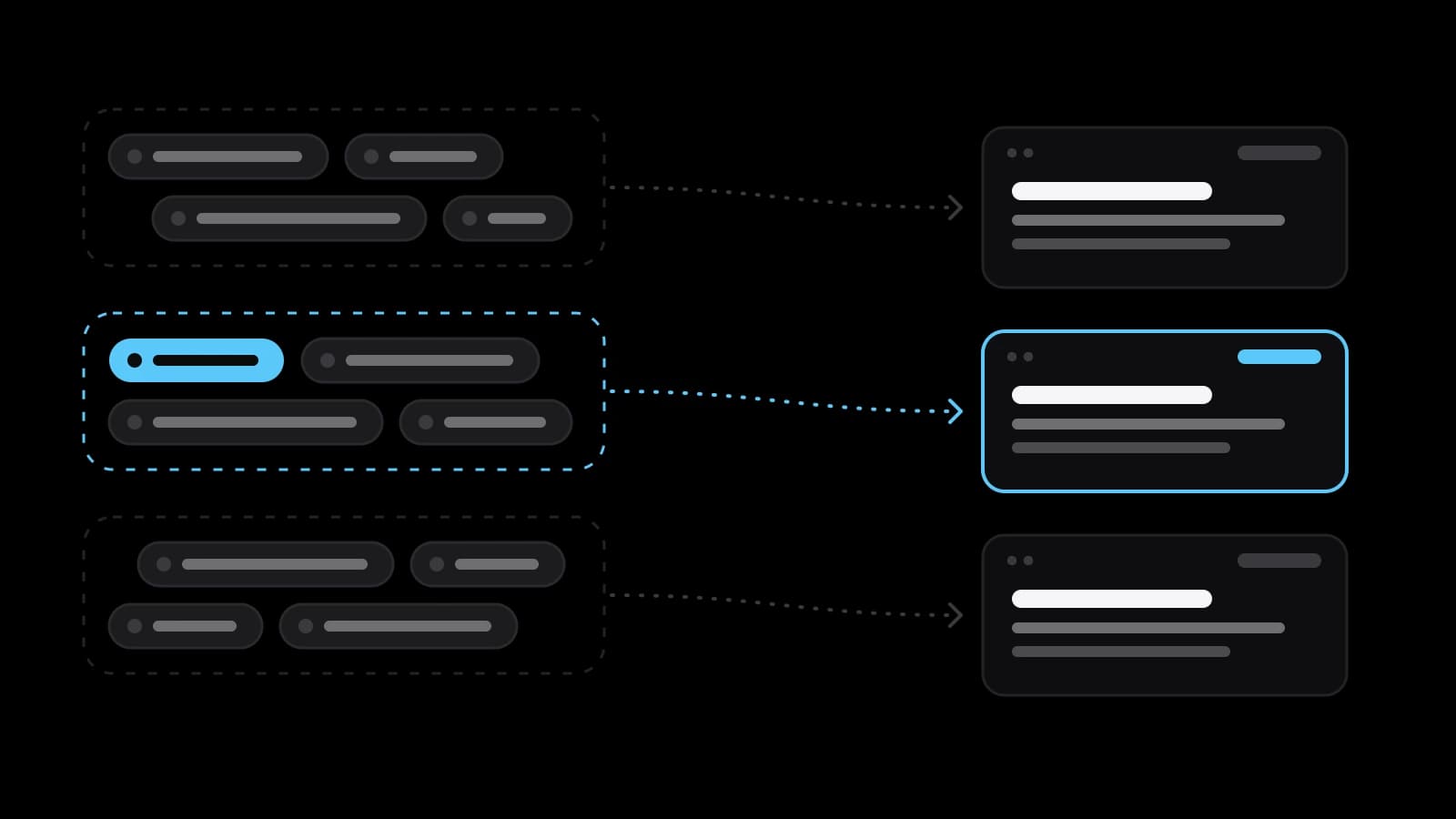
Once every phrase has an intent, the list is sorted into groups, and each group becomes one page. Phrases belong together when the same page would fully answer all of them. Specialists call this clustering, and the Yandex Webmaster help defines it as the automatic grouping of search queries that are close in meaning or in intent. Not every variation needs a page of its own: Google's starter guide says its language matching systems can understand how a page relates to many queries even if the exact terms are not used on it. Synonyms, word order and plural forms live on one page.
The page map is the same table turned on its side. Each row is now a page: its address, its main phrase, the supporting phrases, the intent, and a note saying whether the page exists, needs rewriting or has to be created. The main phrase shapes the title, which Google's guide wants unique to the page, clear, concise and accurate about the contents. Rows without a page show what to write next. Phrases without a row show what the site is silent about.
How many phrases a small site needs and how to pick the first twenty
None of the help pages quoted here names a required size for the list, and thousands of rows are not a goal in themselves. A small service site needs as many groups as it has things to say: one per service, a few for the questions customers ask before ordering, a few for the comparisons they make. For the workshop that may be two or three dozen pages. A list longer than the number of pages you can honestly write and maintain is a wish list, not a plan.
Picking the first twenty is a matter of order. Start with phrases that show a wish to buy in your own area, and check them with the region set: Wordstat filters by region, and Keyword Planner counts searches for the location you select. Add the phrases your site already appears for; the Search Console help suggests looking for queries with high impressions and low click-through rate as chances to improve a page title and description. Then add the questions you answer every working day.
Mistakes that spoil the list: the biggest number, two pages, the wrong words
The first mistake is chasing the biggest figure. The largest numbers belong to the shortest phrases, and, as Wordstat's own definition shows, the total of a short phrase is swollen by every longer query that contains it. The second mistake is two pages for the same query: the search engine has to pick one, and it may not pick the one you meant. This is known as keyword cannibalisation, and the cure is the rule of the page map: one group of phrases, one page.
The third mistake is writing in your own words instead of the customer's. Google's guide illustrates it with food: some people search for "charcuterie" and others for "cheese board", depending on how much they know about the subject. The workshop writes about descaling; the customer types "coffee machine not pumping water". The fourth is treating the list as words to repeat. The same guide says Google Search does not use the keywords meta tag and that keyword stuffing is against its spam policies.
When to revisit the list, and when to build it yourself or order it
A semantic core is never finished once and for all. Google's help reminds advertisers that the number of searches fluctuates with seasonality and current events, and the Dynamics tab in Wordstat shows that movement month by month. Results move slowly too: Google's starter guide says some changes take effect in a few hours while others could take several months. A calm rhythm for a small site is to look at the queries once a month and redraw the map when a service, a city or a language is added.
Doing it yourself is realistic with one line of business, one region and a couple of dozen pages: nobody knows your customers' words better than you do. Ordering it makes sense when there are many services, several regions or languages, a large catalogue, or no hours left for it. Google's guide itself notes that a site owner short on time might consider hiring a professional. If you bring the work to a studio such as VITON13, prepare the list of services in order of importance, the regions, access to Search Console and Yandex Webmaster, and the questions customers really ask.
Practical checklist
- Write down the words customers use in calls, emails and chats before opening any tool.
- Check each phrase in Wordstat three ways: broad, in quotes, and in quotes with exclamation marks.
- Set your region in Wordstat and your location in Keyword Planner before you compare figures.
- Mark every phrase with one intent: learn, compare, buy or find a particular site.
- Assign each group of phrases to one page and note whether that page exists or has to be written.
Questions and answers
Is a semantic core the same thing as keyword research?
Almost. Keyword research is the work of finding and sorting the phrases; the semantic core is the Russian-language name for its result, the ordered list of phrases that describes what a site offers. In both cases the useful output is a table that ties each phrase to a page.
Which tool should a small site open first when collecting phrases?
Its own reports. Search Console and Yandex Webmaster list the queries the pages already appear for, which is demand you can act on at once. Wordstat and Keyword Planner then widen the list; the first requires a Yandex login, the second a Google Ads account with the setup completed.
Why does Wordstat show a smaller number when the phrase is in quotes?
Without operators the figure counts every query that contains your phrase, longer ones included. Yandex's help says quotation marks fix the number of words, so only queries with no additional words remain. The quoted figure cannot be larger, and it is closer to the demand for that exact wording.
Why do Wordstat and Keyword Planner disagree about one phrase?
They count different things in different search engines. Wordstat totals the queries to Yandex that contain the phrase. Keyword Planner reports a rounded monthly average for the exact keyword and its close variants on Google, for the location and months selected. Yandex Webmaster's help adds that Wordstat data can appear with a delay of about a month.
How often should the keyword list of a small site be updated?
Look at the query reports about once a month and rebuild the page map when you add a service, a region or a language. Searches rise and fall with the seasons, so once a year it is worth opening the monthly curve of your main phrases in Wordstat and checking that the pages are ready before the peak.